

More votes for your game server: How to motivate your community
With attractive voting rewards, a streamlined process and a well-maintained profile, you’ll make it easier for your community to support you.
Your server is up and running, the team is putting time into new content, and there’s plenty going on in Discord. Yet the voting link often goes unused. That doesn’t necessarily mean people aren’t interested: perhaps it’s just hard to find. Perhaps players don’t know what a vote achieves. Or the reward is so unclear that nobody takes that extra step.
If you want more genuine votes, you should therefore combine three things: a clear reason, a straightforward process and a thank-you that suits your own community. Here, we’ll show you how to turn this into a workable process and what role the SERVOTING voting script and a ‘vote case’ can play in this.
1. Explain what the community is voting for
‘Please vote!’ is easy to write. The call to action becomes clearer when it offers a specific benefit: by voting, your community supports the server in the SERVOTING rankings. Anyone who then lands on your profile should immediately recognise what makes you special and how to get started.
According to the currently published voting overview, for FiveM and the games listed there, one vote per player and server is permitted every two hours. The waiting time shown on the respective voting page is decisive. Once this time has elapsed, your community can voluntarily support you again.
2. Turn the voting reward into a clear token of appreciation
A reward should be interesting enough to warrant an explanation, yet modest enough not to overwhelm the server’s finances. Ask your players what they’d enjoy: a cosmetic item, a useful consumable, or a thematically appropriate collectable. These are design ideas; what’s technically possible and makes sense in-game depends on your server configuration.
A vote case can provide an additional incentive for this. Instead of receiving the same reward every time, players open a chest containing a reward pool you have defined, with varying odds. The anticipation of finding a suitable item can make voting more exciting.
Another server community told us that integrating our Vote Case via the voting script was well received and encouraged repeated votes. This is a single anecdote, not a measured success rate. You’ll need to work out with your community which rewards work best for you.
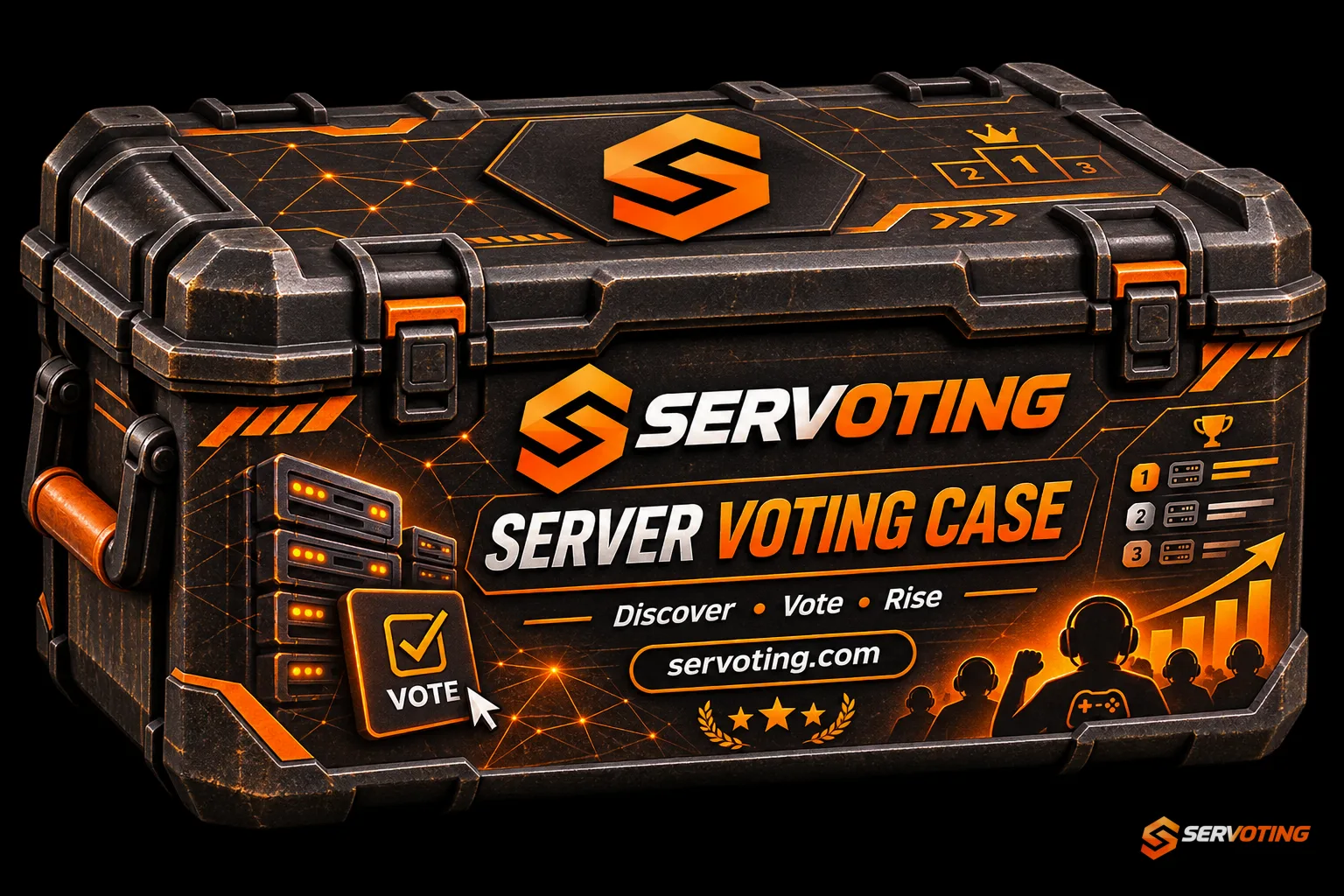
The SERVOTING case as a graphic template. The image does not show a definitive reward pool. Download case graphics and brand assets.
Good odds need a clear explanation
“Great prizes” alone doesn’t mean much to players. Show the possible contents and, in the case of random allocation, state the actual odds. The figures must be taken from your configuration. Also state whether rewards can be repeated and how players receive and open their chest.
Before you start, also check the most common prize: would a player still be pleased to receive it? A rare top prize does not automatically make an otherwise disappointing prize pool attractive. To get started, we recommend a free version, available exclusively through votes, with modest in-game rewards. It’s up to you whether you want to use randomisation at all: a fixed reward is easier to explain and test.
3. Test the entire process from vote to reward
For FiveM, the SERVOTING resource establishes the link between a valid vote and the in-game reward. You configure which reward is issued and whether your case system is linked to it for your server. You also set up the case system on your server.
First, import your server entry and open Rewards & API in the dashboard. Follow the instructions provided there for your connection. A reliable test involves more than just a single click:
- A test player opens your live vote link and casts a valid vote.
- You check whether the vote is assigned to the correct player.
- The player checks whether the configured reward is actually received.
- In the case of a case, you should also test opening it and retrieving the contents.
- You should also check the process if the player was offline whilst voting.
The SERVOTING FAQ highlights two important points: the name entered must match the in-game name, and outstanding votes will be retried for delivery for up to seven days. The FiveM resource can dispense a pending reward after joining. You can check the delivery log to see where a problem occurred. Keep API keys on the server and do not share them in public announcements.
4. Put the vote link where your players are
A link buried deep in an old Discord post is easily overlooked. Set up a dedicated, clearly labelled section and explain the process there in a few sentences. Add the link to your website and in a suitable place within the game, provided your interface supports this.
A suggested text for your announcement:
Support our server on SERVOTING! Your vote helps us in the rankings. As a thank you, we’ll give you a voting reward. You can find the procedure and possible rewards in the voting channel. Once your waiting period has ended, you can take part again voluntarily. Thank you for your support!
Replace the general description with the reward you’ve actually set up. A voluntary Discord role is a better way to send reminders than repeatedly notifying the entire community. After a few days, ask specifically: Was the link easy to find, were the instructions clear, and did the reward go through?
5. Claim your server and make the profile worth visiting
Votes draw attention to your listing. Whether this results in a new player joining also depends on what they find there. Our message to server operators is therefore clear: Search for your server and take over your existing listing. If it’s already listed, there’s no need to create a second one.
On the server page, start by clicking ‘Is this your server?’. The guide to taking over the listing describes the available forms of verification. Once that’s done, you can manage the listing yourself.
Provide visitors with answers to the questions that matter before they join:
- Which game, edition and language do you use?
- What sort of gameplay can new members expect?
- Is there an allowlist, a minimum age or any specific rules for joining?
- Where can I find the rules and contact details?
- How do I join the server and your Discord?
Add up-to-date images and check your links. Server listings and votes are free of charge. SERVOTING also offers paid options; you don’t need to buy a package to get started. You can’t buy your way onto the organic leaderboard anyway.
6. Use multiple suitable channels to be found
Your community should be able to find you via more than just one channel. Link your SERVOTING listing to your website, Discord and your active social media profiles. Other relevant server directories can complement your online presence. Keep your name, description and invitation links up to date everywhere.
Maintenance is key: three informative profiles help visitors make a decision more than ten out-of-date listings ever could. Visibility creates an opportunity to get to know each other, but it guarantees neither new regular players nor a better ranking on Google.
Streamers and professional service providers can also showcase themselves on SERVOTING. As a streamer, you can create a creator page and showcase your content and server connections. For scripts, mapping, design and other services, there is the Provider section. Show exactly what you offer and include examples of your work.
Invite players and customers to leave honest reviews. These should reflect their actual experience. Vote rewards are part of the voting process; they should not be linked to a positive review or a specific star rating.
7. Check what has improved after two weeks
Before you start, make a note of the total votes counted over a full week and the reward process so far. Then test a clearly defined change, such as the new case pool or a more visible voting link. Compare periods of equal length and note any major events or server restarts that might influence the results.
As well as the number of votes, look at delivery and feedback: are the rewards being delivered reliably? Do new players understand the process? Does the reward remain appropriate during normal gameplay? A higher vote count alone does not reveal what caused the increase.
Take the first step today: Find your existing server listing, claim it and set up a clear voting process. If your server isn’t listed yet, you can add it for free. Give your community a good reason to support you and a profile that you’ll be happy to recommend.
Cover image: SERVOTING illustration.
Sources
More articles
 DayZ Badlands: Finding a Nasdara server for your group
Here’s how to check the map, access information and rules, and plan your first route together in Nasdara.
 Rust Update: What’s changing with workbenches and blueprints
Here’s how the new blueprints and the changes to the tech tree will affect your next Rust wipe. ★ 1,0♥ 1
 Finding game servers: a comparison of Minecraft, Rust, ARK and RedM
This checklist will help you choose game servers based on edition, playstyle, rules and reset schedule.
Comments 0
No comments yet.
SERVOTING community
Join the conversation?
With a free account you read all comments, discuss, like and rate articles. Sign in with Discord, Steam or Twitch works too.
Already a member? Log in